.svg)
Asterive is a browser-first note-taking application that keeps note content in Markdown. Writers can use visual formatting controls, edit the Markdown source directly, or work with source and preview side by side.
Notes can be organized with folders and labels, searched alongside associated files, and exported through Markdown and other portable formats. Asterive is account-based rather than a live local-folder editor.
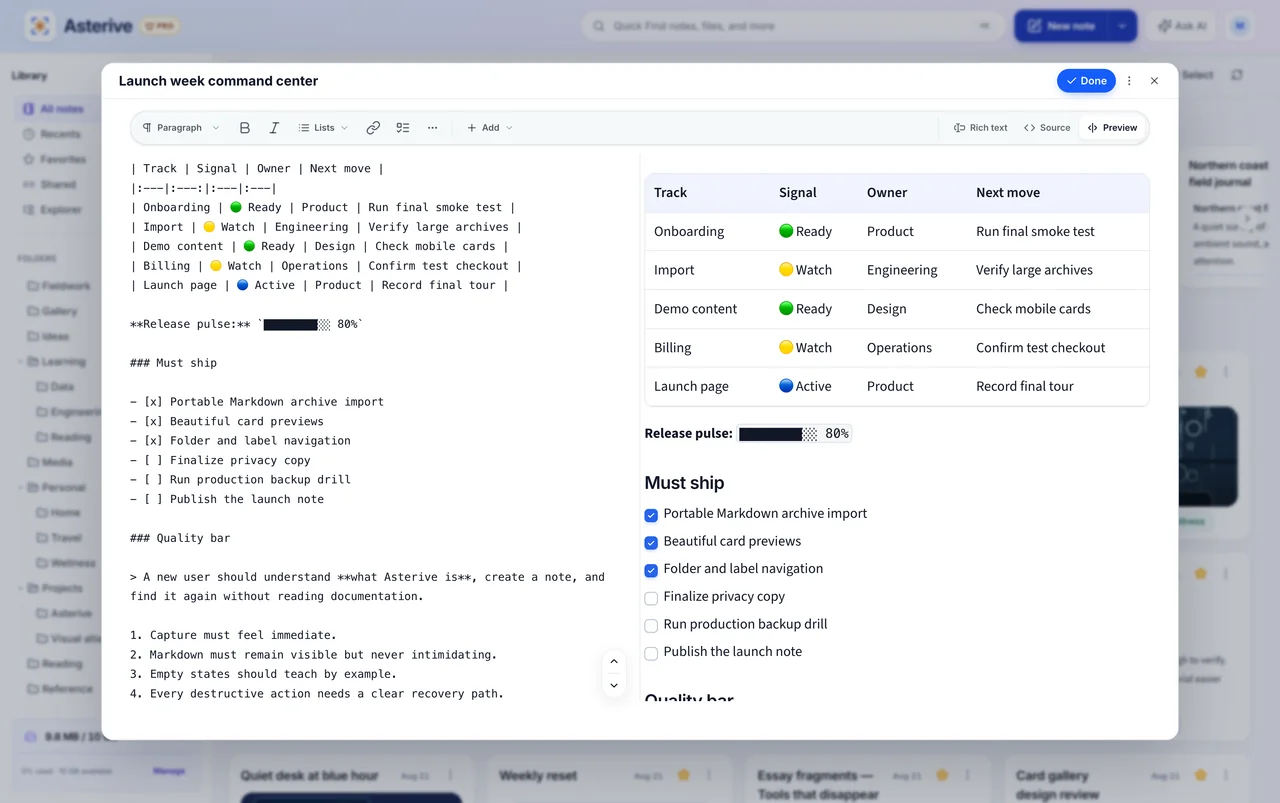
Asterive provides support for the following Markdown elements.
| Element | Support | Notes |
|---|---|---|
| Headings | Yes | |
| Paragraphs | Yes | |
| Line Breaks | Yes | |
| Bold | Yes | |
| Italic | Yes | |
| Blockquotes | Yes | |
| Ordered Lists | Yes | |
| Unordered Lists | Yes | |
| Code | Yes | |
| Horizontal Rules | Yes | |
| Links | Yes | |
| Images | Yes | |
| Tables | Yes | |
| Fenced Code Blocks | Yes | |
| Syntax Highlighting | Yes | |
| Footnotes | Yes | |
| Heading IDs | No | |
| Definition Lists | Yes | |
| Strikethrough | Yes | |
| Task Lists | Yes | |
| Emoji (copy and paste) | Yes | |
| Emoji (shortcodes) | No | |
| Highlight | No | |
| Subscript | No | Single tildes produce strikethrough instead of subscript. |
| Superscript | No | |
| Automatic URL Linking | Yes | |
| Disabling Automatic URL Linking | Yes | |
| HTML | Partial | Only a sanitized subset is supported. Unsafe elements, attributes, styles, and URL protocols are removed or escaped; scripts and forms are not supported. |
Learn Markdown in 60 pages. Designed for both novices and experts, The Markdown Guide book is a comprehensive reference that has everything you need to get started and master Markdown syntax.
Get the Book